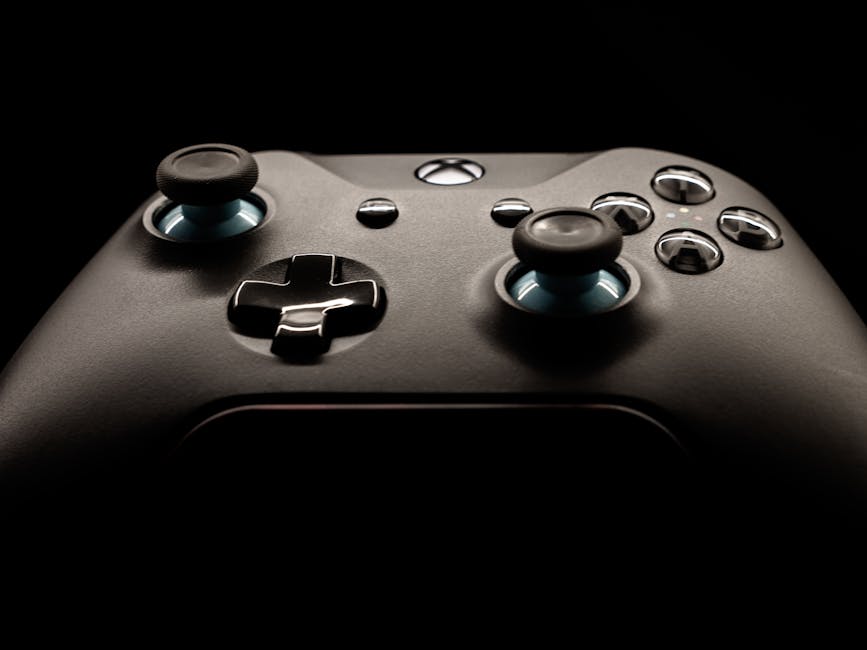
Xbox Series X and Xbox Series S Overview
Microsoft’s latest generation of Xbox consoles represents a significant leap forward in gaming technology, offering two distinct options to meet different gaming needs and budgets. The Xbox Series X stands as the flagship model, delivering the most powerful gaming experience Microsoft has ever created, while the Xbox Series S provides an affordable entry point into next-generation gaming without compromising on the core Xbox experience.
The Xbox Series X is designed for gamers who demand the absolute best performance, featuring native 4K gaming capabilities, ray tracing support, and lightning-fast load times. This console targets enthusiasts who want to experience games at their highest fidelity with frame rates up to 120fps. In contrast, the Xbox Series S focuses on delivering next-gen gaming at 1440p resolution, making it perfect for gamers with smaller displays or those who prioritize value over maximum visual fidelity.
Both consoles share the same fundamental architecture and can play the same games, ensuring that regardless of which model you choose, you’ll have access to the entire Xbox ecosystem. The key improvements over previous Xbox consoles include dramatically reduced loading times thanks to custom NVMe SSD storage, enhanced backward compatibility that makes older games look and perform better than ever, and support for cutting-edge features like ray tracing and spatial audio that create more immersive gaming experiences.
Hardware Specifications and Performance
The Xbox Series X boasts impressive specifications that position it as one of the most powerful gaming consoles ever created. At its heart lies a custom AMD Zen 2 CPU running at 3.8GHz, paired with a custom RDNA 2 GPU capable of 12 teraflops of processing power. This combination enables native 4K gaming at 60fps with support for up to 120fps in compatible titles. The console includes 16GB of GDDR6 RAM and a 1TB custom NVMe SSD that delivers 2.4GB/s of raw throughput, virtually eliminating loading screens in optimized games.
The Xbox Series S, while more compact and affordable, still delivers impressive performance with its custom AMD Zen 2 CPU running at 3.6GHz and a custom RDNA 2 GPU providing 4 teraflops of processing power. This configuration targets 1440p gaming at 60fps with select titles supporting 120fps gameplay. The Series S includes 10GB of GDDR6 RAM and a 512GB custom NVMe SSD, providing the same lightning-fast load times as its more powerful sibling, though with less storage capacity.
Both consoles feature hardware-accelerated ray tracing, which enables realistic lighting, reflections, and shadows that dramatically enhance visual quality. The custom SSD architecture in both models includes dedicated decompression blocks that allow games to stream assets directly from storage without taxing the CPU, resulting in more detailed game worlds and seamless transitions between areas. Variable Rate Shading technology helps optimize performance by allowing developers to reduce shading work in areas where it won’t be noticed, freeing up resources for more important visual elements.
Backward Compatibility and Expandability
One of the most impressive features of both Xbox Series consoles is their extensive backward compatibility support, which extends across four generations of Xbox gaming. The consoles can play thousands of games from the original Xbox, Xbox 360, and Xbox One libraries, with many titles receiving automatic enhancements that improve loading times, frame rates, and visual quality without requiring developer updates. This means your existing game library remains valuable and often performs better than ever before.
The backward compatibility system goes beyond simple emulation, utilizing the increased processing power to enhance older games through techniques like Auto HDR, which adds high dynamic range lighting to games that didn’t originally support it. Many Xbox One games also benefit from increased resolution and frame rates when played on the new consoles, with some titles jumping from 900p to 4K resolution or from 30fps to 60fps automatically.
Storage expandability addresses one of the most common concerns with modern gaming consoles. While both consoles feature fast internal SSDs, the Xbox Series X’s 1TB and Series S’s 512GB of storage can fill up quickly with today’s large game files. Microsoft offers the Seagate Storage Expansion Card, which plugs directly into the back of either console and provides the same performance as internal storage. Additionally, both consoles support external USB 3.1 drives for storing and playing backward compatible games, though next-generation titles must be stored on the internal SSD or expansion card to maintain optimal performance.
Xbox Game Pass and Xbox Play Anywhere
Xbox Game Pass represents one of the most compelling reasons to choose an Xbox console, offering access to hundreds of high-quality games for a monthly subscription fee. The service includes day-one access to all Microsoft first-party titles, meaning games like Halo, Forza, and Gears of War are available immediately upon release at no additional cost. Game Pass Ultimate combines the console game library with PC Game Pass, Xbox Live Gold, and cloud gaming capabilities, providing incredible value for gamers who play across multiple platforms.
The Xbox Play Anywhere program enhances the value proposition by allowing certain games to be played on both Xbox consoles and Windows PC with a single purchase. When you buy a Play Anywhere title digitally, you can seamlessly switch between playing on your Xbox and PC, with save data, achievements, and progress syncing automatically through Xbox Live. This feature is particularly valuable for gamers who split their time between console and PC gaming or want the flexibility to continue their games while traveling.
Some of the standout titles available through Game Pass include Forza Horizon 5, which showcases the visual capabilities of the new consoles with stunning 4K graphics and 60fps gameplay, Microsoft Flight Simulator, which demonstrates the power of cloud computing integration, and Halo Infinite, which offers both compelling single-player campaigns and competitive multiplayer experiences. The service regularly adds new games and rotates content, ensuring there’s always something fresh to discover.
Tips for New Xbox Owners
Setting up your new Xbox console properly from the start ensures you get the best possible gaming experience. Begin by connecting your console to your TV or monitor using the included HDMI cable, and if you have a 4K display with HDR support, make sure to enable these features in the display settings. The initial setup process will guide you through connecting to your Wi-Fi network, signing into your Microsoft account, and configuring basic preferences, but taking time to explore the advanced settings can significantly improve your experience.
One of the first things new owners should do is enable Auto HDR and configure their display settings properly. Navigate to Settings > General > TV & Display Options to ensure your console is outputting at your display’s native resolution and refresh rate. If you have a gaming monitor or TV that supports Variable Refresh Rate (VRR) or Auto Low Latency Mode (ALLM), enable these features to reduce input lag and eliminate screen tearing during gameplay.
Essential accessories that can enhance your Xbox experience include a high-quality headset for spatial audio and voice chat, additional controllers for local multiplayer gaming, and a charging station to keep wireless controllers powered. Consider investing in Xbox Game Pass Ultimate if you haven’t already, as it provides immediate access to a vast library of games and eliminates the need to purchase individual titles while you’re building your collection. Don’t forget to explore the Xbox mobile app, which allows you to manage downloads, chat with friends, and even stream games to your phone when you’re away from your console.
Common Issues and Troubleshooting
While Xbox Series X and Series S consoles are generally reliable, some users may encounter occasional issues that can be resolved with simple troubleshooting steps. One of the most common problems is games failing to launch or crashing during gameplay, which can often be fixed by performing a hard reset of the console. To do this, hold the power button on the front of the console for 10 seconds until it completely shuts down, then wait 30 seconds before turning it back on. This clears the system cache and resolves many temporary software glitches.
Network connectivity issues can prevent online gaming and downloading updates, but these problems usually stem from router configuration or internet service provider limitations rather than console defects. If you’re experiencing slow download speeds or frequent disconnections, try connecting your console directly to your modem with an ethernet cable to bypass potential Wi-Fi interference. You can also improve wireless performance by ensuring your console is within range of your router and that other devices aren’t consuming excessive bandwidth during gaming sessions.
Storage-related issues may arise as your game library grows, particularly on the Xbox Series S with its smaller 512GB SSD. The console will alert you when storage space is running low, but you can proactively manage this by moving older or less frequently played games to external storage or uninstalling titles you’ve completed. Remember that you can always re-download purchased games later without losing save data, as game saves are automatically backed up to the cloud through Xbox Live.
Pros and Cons of Xbox Series X and Series S
The Xbox Series X excels in delivering the ultimate gaming experience with its powerful hardware capable of native 4K gaming, extensive storage capacity, and support for physical media through its built-in disc drive. This console is ideal for enthusiasts who want the best possible visual quality, have large 4K displays, and prefer to buy physical games or have extensive collections of Xbox One discs. The additional storage space means less time managing game installations, and the extra processing power ensures games run at their highest settings with maximum frame rates.
However, the Xbox Series X comes with a significantly higher price point and larger physical footprint, which may not suit all gaming setups or budgets. The console’s size requires adequate ventilation space, and its premium features may be wasted on gamers who primarily play on smaller displays or don’t prioritize maximum visual fidelity. Additionally, the performance difference between Series X and Series S may not be noticeable to casual gamers who are satisfied with 1440p gaming.
The Xbox Series S offers exceptional value as an entry point into next-generation gaming, with a compact design that fits easily into entertainment centers and a price point that makes it accessible to a broader audience. Despite its lower specifications, the console still delivers impressive performance with fast loading times, smooth 60fps gameplay in most titles, and access to the same game library as the Series X. For gamers who primarily play on monitors or smaller TVs, the 1440p target resolution is often sufficient and allows for higher frame rates in competitive games.
Frequently Asked Questions (FAQ)
Can I use my old Xbox games and accessories with the new Xbox Series X and Series S?
Yes, both Xbox Series X and Series S offer extensive backward compatibility with thousands of games from previous Xbox generations, including original Xbox, Xbox 360, and Xbox One titles. Most Xbox One accessories, including controllers, headsets, and racing wheels, are fully compatible with the new consoles. However, Kinect sensors require a special adapter that is no longer manufactured by Microsoft, though third-party solutions may be available.
How does the new Xbox console differ from PlayStation 5 in terms of performance and features?
The Xbox Series X generally offers slightly more raw computing power than the PlayStation 5, while the Series S provides a more affordable alternative that Sony doesn’t currently match. Xbox consoles feature superior backward compatibility, supporting four generations of games compared to PlayStation’s focus primarily on PS4 titles. Xbox Game Pass provides better value than PlayStation’s subscription services, offering day-one access to first-party titles and a larger library of included games.
Is Xbox Game Pass worth the subscription fee for new Xbox owners?
Xbox Game Pass Ultimate typically pays for itself if you play just one or two new games per year, as it costs less than purchasing those titles individually. The service includes immediate access to all Microsoft first-party games on release day, hundreds of third-party titles, and additional benefits like Xbox Live Gold for online multiplayer and cloud gaming capabilities. For new console owners, Game Pass provides an instant library of games to explore while deciding which titles to purchase permanently.
What’s the difference in game performance between Xbox Series X and Series S?
The Xbox Series X typically runs games at native 4K resolution with higher frame rates and enhanced visual effects, while the Series S targets 1440p resolution but still maintains smooth 60fps gameplay in most titles. Both consoles feature the same CPU architecture, so loading times and game responsiveness are nearly identical. The choice between consoles often comes down to your display setup and whether you prioritize maximum visual quality over cost savings.
Explore more xbox guides on our site.
Top Product Recommendations
| Product Name | Rating | Key Feature | Est. Price | Action |
|---|---|---|---|---|
| Best Xbox Pick | ★★★★★ | Top-rated overall | $25–$45 | Check Lowest Price on Amazon |
| Budget Xbox Option | ★★★★☆ | Great for beginners | $12–$28 | Check Lowest Price on Amazon |
| Premium Xbox Choice | ★★★★☆ | Pro-level results | $50–$90 | Check Lowest Price on Amazon |
Affiliate Disclosure: This post contains affiliate links. We may earn a commission if you buy through our links, at no extra cost to you.
Leave a Reply