
Why Build a Budget Gaming PC in 2026?
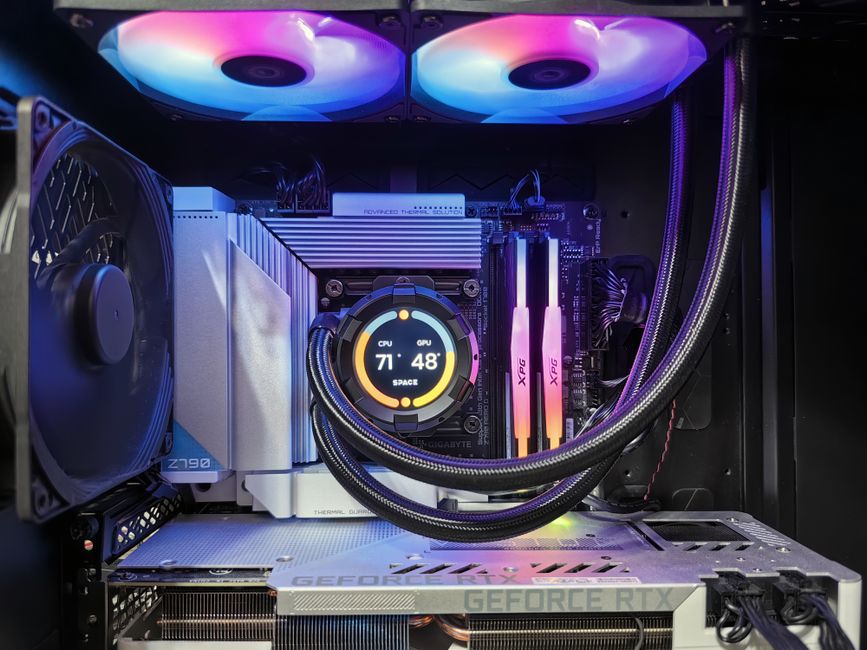
Building your own budget gaming PC is one of the smartest moves any gamer can make in 2026. Prebuilt systems are convenient, but they often bundle outdated components, proprietary cases that limit upgrades, and inflated prices that rarely reflect real performance per dollar. When you build your own machine, you control every part of the equation — from the processor and graphics card to the case airflow and storage speed. A well-researched budget build targeting 1080p gaming can deliver buttery-smooth gameplay at high or ultra settings without draining your savings.
The sweet spot for budget gaming in 2026 sits around $600–$900 USD. At this price point, you can reliably hit 60+ frames per second (fps) at 1080p resolution across the vast majority of modern titles. The market for PC components has stabilized considerably since 2024, with CPU and GPU availability strong and prices more predictable than in previous years. Whether you are upgrading from an older system or starting fresh, 2026 is an exc nt time to assemble a budget gaming rig that balances affordability with serious performance.
The real advantage of a custom budget build is future-proofing. When you choose each component deliberately, you can plan for incremental upgrades down the road. A machine built around a solid mid-range processor and a capable graphics card today can accept a faster GPU tomorrow without requiring a full system overhaul. That long-term flexibility is what makes building your own PC far more rewarding than buying off the shelf.
Quick pick: Compare top-rated Pc options.
Choosing the Right CPU for Budget Gaming
The processor is the brain of your gaming PC, and picking the right CPU is critical for consistent 1080p performance. For budget builds in 2026, two chips stand out as the top value picks: the **AMD Ryzen 5 5600X** and the **Intel Core i5-12400F**. Both processors offer 6 cores and 12 threads, which is more than enough for modern gaming workloads and light multitasking. They each consume modest power — under 65W TDP — meaning your budget power supply and cooling system do not need to work overtime.
AMD’s Ryzen 5 5600X runs on the AM4 platform, which means access to a wide range of affordable motherboards and DDR4 memory. It is particularly strong in CPU-intensive titles like strategy games and open-world RPGs where single-thread performance matters. The **Intel Core i5-12400F**, meanwhile, runs on the LGA 1700 socket and pairs with DDR5 boards for those who want a slightly more forward-compatible platform. If you are strictly watching your budget, the i5-12400F with a B660 motherboard is hard to beat in terms of cost efficiency.
One thing to keep in mind: avoid going below a 6-core processor in 2026. Many modern games are beginning to take advantage of 8-core designs, and a dual-core or quad-core chip will create a bottleneck that no graphics card can overcome. Stick with at least 6 cores, and you will have a system that ages gracefully over the next two to three years.
Best Graphics Cards for 1080p Gaming on a Budget
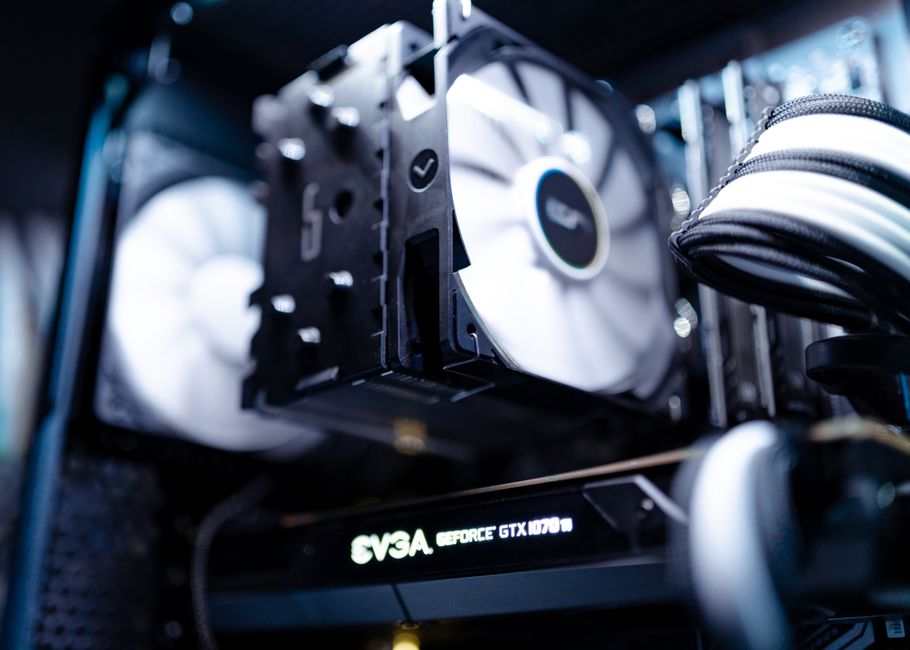
The GPU is where most of your gaming budget should go. For 1080p gaming in 2026, two cards dominate the value conversation: the **NVIDIA GeForce RTX 4060** and the **AMD Radeon RX 7600**. Both are priced in the $270–$320 range and are purpose-built for 1080p performance with efficiency improvements over previous generations.
The RTX 4060 brings NVIDIA’s latest architecture improvements, including AI-driven features like DLSS 3 frame generation. DLSS can effectively double your frame rate in supported titles by rendering at a lower resolution and upscaling using machine learning, which is a genuine game-changer for budget builds. The RTX 4060 also supports hardware ray tracing, so you can enjoy realistic lighting effects without sacrificing too many frames per second.
AMD’s RX 7600 counters with strong native rasterization performance and FSR (FidelityFX Super Resolution), AMD’s answer to DLSS. FSR works across a broader range of games since it does not require dedicated tensor cores. For budget gamers who play a mix of AAAs and indie titles, the RX 7600 is an outstanding choice that rarely disappoints at 1080p ultra settings.
Here is a quick side-by-side comparison to help you decide:
| Feature | NVIDIA RTX 4060 | AMD RX 7600 |
|---|---|---|
| Memory | 8GB GDDR6 | 8GB GDDR6 |
| Architecture | Ada Lovelace | RDNA 3 |
| DLSS/FSR | DLSS 3 (frame gen) | FSR 3 |
| Ray Tracing | Strong | Moderate |
| Typical Price | $299 | $269 |
| Power Draw | 115W | 165W |
RAM, Storage, and Motherboard Recommendations
Once you have locked in your CPU and GPU, the supporting cast of components deserves equal attention. RAM is straightforward in 2026: **16GB of DDR4 or DDR5** is the recommended minimum for any budget gaming PC. DDR4 at 3600MHz remains the most cost-effective option for AM4 and early LGA 1700 boards, while DDR5 at 5200MHz is worth the small premium if you are building on a newer platform. Two sticks of 8GB in dual-channel configuration is non-negotiable — single-channel setups cut memory bandwidth and directly tank frame rates in bandwidth-sensitive games.
Storage deserves serious thought. Do not settle for a slow hard drive as your primary drive in 2026. A **500GB to 1TB NVMe SSD** is affordable and transformative. Games load faster, Windows boots in seconds, and the entire system feels snappy. Budget builds can pair a 500GB NVMe drive for the OS and a few key titles with a larger traditional hard drive for bulk storage. This two-drive strategy keeps costs manageable while giving you speed where it matters most.
Your motherboard choice should match your CPU platform. For AMD, a **B550 chipset board** offers PCIe 4.0 support, solid VRMs, and upgrade headroom without the premium of an X570 board. For Intel, a **B660 or B760 board** provides everything most gamers need. Focus on features that matter: enough USB ports, M.2 slots for NVMe drives, and reliable Ethernet. Wi-Fi is nice to have but not essential for a wired gaming setup.
Step-by-Step PC Assembly Guide
Assembling a budget gaming PC is more approachable than ever thanks to standardized ATX form factors and tool-free designs. Before you begin, gather your components and prepare a clean, well-lit workspace with a Phillips-head screwdriver and an anti-static wrist strap. Ground yourself by touching a metal surface before handling any components to prevent electrostatic discharge damage.
Start by installing the processor into the motherboard socket. Take extreme care here — align the triangle marker on the CPU with the corresponding marker on the socket, lower it in gently without force, and lower the retention arm. Next, install your RAM sticks into the dual-channel slots (usually slots 2 and 4 for optimal bandwidth), pressing firmly until both side clips snap into place. Mount the NVMe SSD into the M.2 slot and secure it with the small screw provided on the motherboard.
Install the I/O shield into the case rear opening, then mount the motherboard using the standoff screws that come with your case. Route your case’s front panel connectors — power button, reset button, HDD LED, and USB headers — to the corresponding motherboard pins as detailed in your motherboard manual. Install the power supply, connect the 24-pin ATX and 8-pin CPU power cables, and route PCIe power cables to the GPU. Finally, seat your graphics card into the top PCIe x16 slot and secure it with a rear case screw. Close the case, connect your monitor to the GPU, and power on to verify that your budget gaming PC boots successfully.
Optimizing Settings for 1080p Gaming Performance
Getting the most out of your budget gaming PC is about knowing which settings to prioritize and which to dial back. At 1080p resolution, you have more headroom than you might expect — the 1920×1080 pixel count is relatively modest compared to 1440p or 4K, so your GPU can push higher texture and lighting quality without breaking a sweat.
For competitive multiplayer titles like shooters and battle royales, prioritize frame rate over visual fidelity. Drop shadow quality and ambient occlusion settings first — they carry a surprisingly heavy GPU cost for minimal visual impact during fast-paced gameplay. Enable V-Sync only if you notice screen tearing, and consider enabling either **NVIDIA Reflex** or **AMD Anti-Lag** to reduce input latency. These features are built into modern drivers and require no hardware investment whatsoever.
For story-driven single-player games, you have more freedom to push visual quality. Enable **ray tracing effects selectively** — reflection ray tracing is often the most visually striking for the least performance cost, while global illumination ray tracing tends to be the heaviest. If your frame rate drops below a playable level, lean on DLSS or FSR upscaling before reducing native resolution. Both technologies deliver a crisp image at 1080p even when rendering at 720p internally.
Use free tools like **MSI Afterburner** paired with **RTSS (Rivatron Statistics Server)** to overlay real-time frame rate and GPU/CPU temperature readings during gameplay. Monitoring lets you fine-tune settings dynamically rather than guessing. Most gamers find that a stable 60 fps with medium-to-high settings looks and feels better than a jumpy 90 fps with all settings maxed.
Common Build Problems and How to Fix Them
Even careful builders encounter hiccups. The most common issue is a system that fails to POST (Power-On Self-Test) after assembly. If your PC powers on but shows no video output, start with the basics: reseat the RAM sticks in their slots, verify that the 8-pin CPU power connector from the PSU is fully inserted, and confirm that your monitor is connected to the graphics card output rather than a motherboard video port. If you built with a processor that lacks integrated graphics, connecting to a motherboard port will produce no image at all.
Driver conflicts are another frequent headache, especially on fresh Windows installations. After your first boot, visit your GPU manufacturer’s website (NVIDIA.com/drivers or AMD.com/drivers) to download the latest drivers before running any games. Installing older or bundled drivers from a disk can leave you with sub-optimal performance and unexplained crashes. Clean installations using DDU (Display Driver Uninstaller) are recommended when updating GPU drivers on an existing system.
Performance bottlenecks can appear in unexpected places. If your frame rate is far lower than expected despite a capable GPU, check your RAM configuration in the BIOS — some boards default to single-channel mode or a reduced XMP profile. Verify that your NVMe SSD is running at full PCIe speed rather than fallback mode. And confirm that your power plan in Windows is set to High Performance, not Balanced, which throttles CPU speed during idle and can cap fps in games.
Maintaining Your Budget Gaming PC for Years
A budget gaming PC built in 2026 can serve you well for three to five years with proper maintenance and a thoughtful upgrade path. The most important ongoing habit is **physical cleaning**. Dust accumulation inside your case restricts airflow, raises component temperatures, and shortens the lifespan of your GPU and CPU fans. Every three to six months, open the side panel and blow out dust with compressed air, paying special attention to the GPU heatsink, case intake fans, and power supply vents. Doing this while the PC is unplugged and powered off is essential.
Software maintenance matters just as much. Keep your graphics drivers updated, run a periodic disk cleanup on your HDD, and monitor your NVMe SSD’s health using tools like CrystalDiskInfo. Modern SSDs have finite write cycles, and while 500GB–1TB drives will last many years under typical gaming usage, knowing your drive’s health status gives you peace of mind and time to plan a replacement before failure.
When it comes time to upgrade, focus your investment on the GPU first — a more powerful graphics card delivers the most immediate and noticeable performance gains at 1080p. A faster processor and additional RAM become relevant only after the GPU has been maximized. A budget PC built today can accept an RTX 5070-class card in two to three years with a simple power supply upgrade, giving your machine significantly more longevity than you might expect.
Frequently Asked Questions (FAQ)
Q: What is a realistic budget for a solid 1080p gaming PC in 2026?
A: A practical budget range is **$600–$900 USD** for a system that reliably hits 60+ fps at 1080p high settings. This gets you a modern 6-core processor, a capable mid-range GPU like the RTX 4060 or RX 7600, 16GB of RAM, and a fast NVMe SSD. Spending above $900 yields diminishing returns for 1080p unless you are specifically chasing ultra-high refresh rate gaming.
Q: How critical is the GPU choice for 1080p gaming performance?
A: The graphics card is the single most important component for 1080p gaming performance. It determines your frame rate ceiling, visual quality options, and feature set (ray tracing, DLSS/FSR). A strong CPU cannot compensate for a weak GPU in gaming workloads, so allocate roughly 35–40% of your total budget to the graphics card.
Q: What essential tools and accessories do I need to build a gaming PC?
A: The essentials are minimal: a **Phillips-head screwdriver**, an **anti-static wrist strap** or mat, and a **flashlight**. You also need a monitor, keyboard, and mouse, but those are separate purchases. Optional but helpful items include cable ties for clean routing, a soft brush for dust cleaning, and a USB drive loaded with your Windows installation media. Thermal paste comes pre-applied on most stock CPU coolers, so you typically do not need to purchase it separately.
Q: Can a budget gaming PC handle 1440p gaming at all?
A: It depends on the specific components. With an RTX 4060 or RX 7600, you can play many games at 1440p with reduced detail settings or with DLSS/FSR upscaling enabled. However, a true 1440p gaming machine benefits from a stronger GPU, making 1080p the more natural and comfortable target for budget builds in 2026.
Top Product Recommendations
| Product Name | Rating | Key Feature | Est. Price | Action |
|---|---|---|---|---|
| Top-rated budget gaming PC components | ★★★★★ | Editor-recommended budget gaming PC components from this guide | $18–$42 | Check Lowest Price on Amazon |
| Best-value 1080p gaming graphics card | ★★★★☆ | Affordable 1080p gaming graphics card — strong everyday results | $12–$28 | Check Lowest Price on Amazon |
| Premium gaming PC RAM storage bundle | ★★★★☆ | Higher-end gaming PC RAM storage bundle for visible, lasting results | $45–$95 | Check Lowest Price on Amazon |
Affiliate Disclosure: This post contains affiliate links. We may earn a commission if you buy through our links, at no extra cost to you.
Leave a Reply