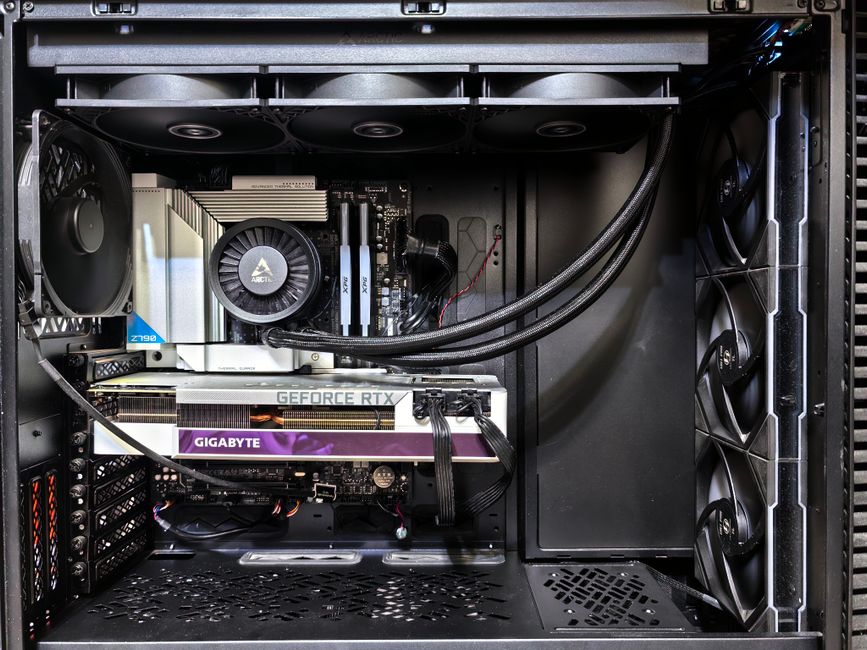
Overview of Budget Gaming PCs
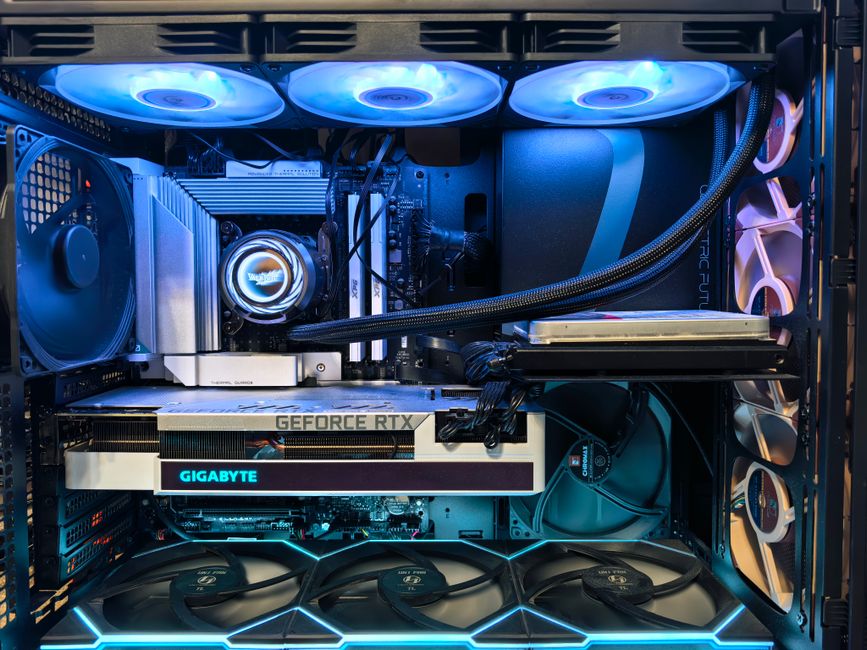
Building a gaming PC on a budget in 2026 is more achievable than ever, but the sheer number of component options can still overwhelm even experienced hobbyists. A well-balanced budget gaming PC should deliver smooth 1080p performance in modern titles without requiring a second mortgage. The key lies in knowing where to spend your dollars and where to hold back — a mid-range graphics card paired with a capable processor will almost always outperform an unbalanced system where one component dominates the budget.
The primary advantage of building your own budget gaming PC is **upgradeability and value**. Prebuilt systems from major retailers often cut corners on motherboards, power supplies, or case airflow in ways that hurt you down the road. When you pick your own parts, you control quality at every tier. You also avoid the bloatware that often ships with prebuilt machines, giving you a clean Windows installation from day one. For around $600 to $900 USD, you can assemble a rig that consistently hits 60 fps at 1080p high settings in most current games — and that is a sweet spot that most American gamers target.
Before diving into specific components, map out your total budget and your priority games. A competitive esports player needs maximum framerate and minimal input lag, while a story-driven single-player gamer values visual fidelity. Knowing your primary use case shapes every part decision, from the CPU clock speed to the GPU architecture you choose.
Quick pick: Compare top-rated Pc options.
Choosing the Right Parts for Your Budget Gaming PC
Picking components for a budget build is an exercise in strategic trade-offs. Each dollar matters, and the best budget gaming PC is one where no single part bottlenecks another.
The Processor (CPU)
The CPU is your system\’s brain, and for 1080p gaming in 2026, you do not need the flagship chip to get exc nt results. AMD\’s Ryzen 5 5600X or Intel\’s Core i5-12400F represent the strongest value propositions at the budget tier. Both offer six cores, twelve threads, and boost clocks above 4 GHz — more than enough to feed a mid-range GPU without bottlenecking frame rates. If you find prices creeping higher, the Ryzen 5 5500 is a reliable step-down option that still handles 1080p gaming admirably.
The Graphics Card (GPU)
The GPU is typically the most expensive single component in any gaming PC, and for 1080p budgets, it is where you should focus the bulk of your spending. Nvidia\’s RTX 3060 or AMD\’s RX 6600 deliver outstanding 1080p performance at accessible price points. The RTX 3060 brings DLSS support, which can effectively boost your apparent framerate in titles that support it, while the RX 6600 offers more raw memory bandwidth for the dollar. Newer alternatives like the RTX 4060 also merit consideration if a sale brings the price within range of the previous generation.
The Motherboard
A budget motherboard does not mean a bad motherboard. For AMD platforms, a B550 chipset board gives you PCIe 4.0 support, reliable VRMs, and solid rear I/O at a reasonable price. On the Intel side, a B660 board paired with a 12th-gen CPU covers the essentials without unnecessary premium features. Avoid the temptation to buy the cheapest board available — a weak VRM can cause CPU instability under load, and you will regret that decision when your system throttles during extended gaming sessions.
Memory (RAM)
16 gigabytes of DDR4-3600 RAM is the practical sweet spot for budget 1080p gaming in 2026. This amount handles modern game memory footprints comfortably and leaves headroom for background applications like Discord or browser tabs. Running your RAM in a dual-channel configuration — two 8 GB sticks rather than a single 16 GB stick — unlocks the full memory bandwidth your CPU and GPU depend on. Clock speed matters less than capacity at this budget tier, but staying at DDR4-3600 or faster ensures you are not leaving FPS on the table.
Storage: SSD vs. HDD
Every budget gaming PC should boot from a **solid-state drive (SSD)**. The difference in game load times, Windows boot speed, and system responsiveness between a SATA SSD and a traditional hard drive is dramatic and worth every cent. A 1 TB SATA SSD covers your operating system, core games, and frequently used applications for around $60 to $80. If your budget allows, a budget NVMe drive like the WD Blue SN570 delivers even faster transfer speeds for a modest premium. A secondary HDD for bulk media storage remains a cost-effective add-on for the data you do not access daily.
Assembling Your Budget Gaming PC
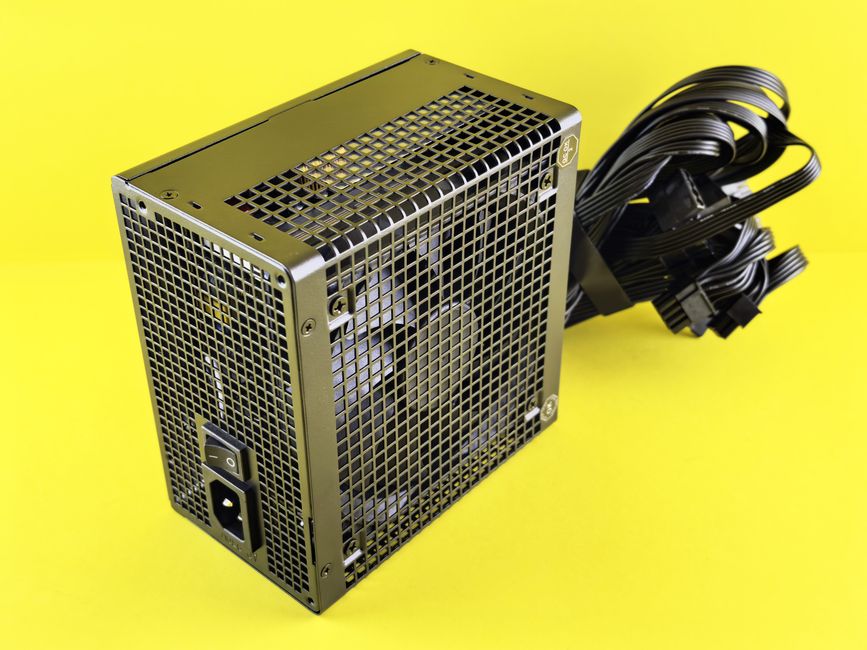
Assembly is where many first-time builders feel nervous, but modern PC components are designed to install with minimal friction. The process takes roughly two to three hours with a clean workspace and basic tools.
Step-by-Step Assembly Guide
Start by installing the CPU onto the motherboard outside the case — this gives you maximum room to work. Apply a pea-sized dot of thermal paste to the CPU lid before mounting the stock cooler or your aftermarket cooler of choice. Next, install your RAM sticks into the appropriate dual-channel slots, pressing firmly until both retention clips click. Mount the M.2 SSD if your board supports it, then secure the I/O shield to the case rear opening.
With the motherboard standoffs pre-installed in your case, lower the board in at a slight angle to align the rear I/O ports with the shield, then secure with standoff screws. Connect the front panel USB, audio, and power button leads from your case to the motherboard headers — the case manual and motherboard manual both label these clearly. Route your power supply cables, connecting the 24-pin ATX power, 8-pin CPU power, and PCIe GPU power as needed. Finally, install your GPU into the primary PCIe slot and secure it with the case\’s slot bracket screw.
Cooling and Airflow Tips
Proper airflow is non-negotiable for a budget gaming PC that may not have the luxury of an expensive liquid cooler. A well-ventilated mid-tower case with a mesh front panel promotes positive air pressure — intake fans at the front and exhaust fans at the rear. At minimum, run two intake fans and one exhaust fan. Ensure your CPU cooler has clearance from any RAM modules taller than standard height, and route cables neatly to avoid blocking airflow paths across the motherboard.
Common Assembly Mistakes to Avoid
The most frequent errors include forgetting the I/O shield, failing to connect all power cables, installing RAM in single-channel mode accidentally, and over-tightening CPU cooler screws. A silent performance killer is applying too much or too little thermal paste, which leads to poor heat transfer and thermal throttling. Take your time during the first boot — if the system posts without error codes or repeated beeps, you are in good shape.
Optimizing Your Budget Gaming PC for Performance
A freshly assembled PC is only half the battle. System optimization squeezes extra performance from your components without spending a dime, and every FPS counts on a budget build.
In-Game Graphics Settings
Most modern games include a suite of graphics toggles that have disproportionate performance costs relative to visual payoff. Start by lowering shadow quality, ambient occlusion, and particle density — these settings tax your GPU heavily while delivering subtle visual improvements. **Texture filtering** set to 2x or 4x instead of 8x or 16x is almost invisible in motion but measurably improves framerate. Disable anti-aliasing entirely if your GPU struggles, or rely on the GPU\’s driver-level anti-aliasing as a lighter-weight alternative. DLSS on Quality or Balanced mode is a game-changer for Nvidia cards, delivering near-native visual quality at a significantly higher framerate.
Essential Software and Tools
Install **MSI Afterburner** to monitor real-time temperatures, clock speeds, and framerate during gameplay. This tool also unlocks GPU overclocking, though modest overclocks are recommended for budget cards with limited thermal headroom. Windows\’ Game Mode and Xbox Game Bar provide basic game optimization and capture features without third-party software. Keep your startup list lean by opening Task Manager and disabling unnecessary background programs that consume RAM and CPU cycles during gaming.
Driver and Software Updates
Outdated GPU drivers are one of the most common causes of poor gaming performance and instability. Set your graphics card driver to update automatically, or manually check Nvidia\’s GeForce Experience and AMD\’s Adrenalin Edition monthly. BIOS updates from your motherboard manufacturer occasionally deliver performance improvements, better memory compatibility, and security patches — apply these cautiously and only after reading the update notes. Keeping Windows updated ensures your system has the latest security patches and performance regressions addressed by Microsoft.
Troubleshooting Common Issues on Budget Gaming PCs
Even a carefully assembled budget build encounters issues occasionally. Knowing how to diagnose and resolve these problems saves time, money, and frustration.
Software Conflicts and Performance Drops
If your games suddenly run worse after an update, check for conflicting background services. Some overlay programs like Discord or Steam overlay introduce input lag or cause micro-stuttering. Open the Windows Event Viewer to scan for error logs that correlate with performance drops — these often point to a specific driver or service causing conflicts. A clean reinstall of GPU drivers using DDU (Display Driver Uninstaller) resolves most software-level graphical glitches and performance anomalies.
Hardware Issues: Heat and Instability
Overheating typically manifests as sudden throttling, blue screen crashes, or random restarts during extended gaming sessions. Use MSI Afterburner to log temperatures over a 30-minute gaming session — if your CPU exceeds 90 degrees Celsius or your GPU surpasses 83 degrees Celsius under load, your cooling setup needs attention. Improving case airflow, reapplying thermal paste, or replacing a worn cooler fan are all cost-effective fixes. Unstable RAM overclocks also cause crashes; if you have pushed your memory speed, reset to XMP profile defaults first before troubleshooting further.
Game Bugs and Glitches on Budget Hardware
Some games ship with poorly optimized settings that tax budget hardware disproportionately. Check community-developed configuration guides on Steam or Nexus Mods for your specific titles — fellow budget builders often share optimized ini files that dramatically improve performance without visual compromise. Verifying game file integrity through your launcher also fixes corrupted assets that cause freezes, stuttering, or crash-to-desktop errors.
Frequently Asked Questions (FAQ)
What is the ideal budget for a gaming PC that can handle 1080p gaming in 2026?
For a capable 1080p gaming PC in 2026, a realistic budget starts at **$600 USD** for the core components — CPU, GPU, RAM, storage, and case — excluding peripherals and the operating system. At this tier, a Ryzen 5 5600G with integrated graphics serves as a temporary solution until you add a dedicated GPU. The sweet spot sits around **$750 to $900 USD**, where a Ryzen 5 5600X or Core i5-12400F paired with an RTX 3060 or RX 6600 delivers consistent 60 fps at 1080p high settings across most modern titles. Going above $1,000 enters mid-range territory with diminishing returns for pure 1080p performance.
How important is a dedicated graphics card for 1080p gaming?
A dedicated graphics card is **essential** for reliable 1080p gaming beyond lightweight or older titles. Integrated graphics — even the best current-generation iGPUs — struggle with modern games at moderate settings and cannot match the frame rates or visual fidelity of a dedicated GPU. An RX 6600 or RTX 3060 provides roughly three to four times the gaming performance of integrated solutions at only a modest cost increase. Without a dedicated GPU, you will sacrifice both framerate consistency and the ability to enable advanced rendering features like ray tracing or high-resolution texture packs.
What are some reliable and affordable brands for building a budget gaming PC?
For CPUs, **AMD** and **Intel** both offer proven budget-friendly options with strong platform support. For GPUs, Nvidia and AMD both manufacture reference designs, while third-party board partners like ASUS, MSI, Gigabyte, and Sapphire add custom cooling solutions at competitive prices. Motherboard brands with strong budget lineups include MSI, ASRock, and Gigabyte. For storage, **WD (Western Digital)** and **Crucial** deliver reliable SATA and NVMe drives at honest prices. **Corsair**, **Kingston**, and **G.Skill** make dependable RAM kits, and **EVGA**, **Corsair**, and **be quiet!** produce budget-friendly power supplies that do not sacrifice essential protections.
Performance Comparison: Budget GPU Options at 1080p
| GPU | Typical Price Range | 1080p Avg FPS (High Settings) | Key Strength |
|---|---|---|---|
| Nvidia RTX 3060 | $250–$300 | 70–90 fps | DLSS support, ray tracing |
| AMD RX 6600 | $200–$260 | 65–85 fps | Strong rasterization value |
| Nvidia RTX 4060 | $280–$330 | 80–100 fps | DLSS 3, efficiency |
| AMD RX 6650 XT | $230–$280 | 70–90 fps | Memory bandwidth edge |
Top Product Recommendations
| Product Name | Rating | Key Feature | Est. Price | Action |
|---|---|---|---|---|
| Best Pc Pick | ★★★★★ | Top-rated overall | $25–$45 | Check Lowest Price on Amazon |
| Budget Pc Option | ★★★★☆ | Great for beginners | $12–$28 | Check Lowest Price on Amazon |
| Premium Pc Choice | ★★★★☆ | Pro-level results | $50–$90 | Check Lowest Price on Amazon |
Affiliate Disclosure: This post contains affiliate links. We may earn a commission if you buy through our links, at no extra cost to you.
Leave a Reply