Xbox Series X and Series S Overview
The **Xbox Series X** and **Xbox Series S** represent Microsoft’s latest generation of gaming consoles, offering significant performance improvements over their predecessors. The Series X serves as the flagship model with 4K gaming capabilities and a disc drive, while the Series S provides a more affordable digital-only option targeting 1440p resolution.
Both consoles feature custom AMD Zen 2 processors and RDNA 2 graphics architecture. The Series X includes 16GB of GDDR6 RAM and 1TB of storage, while the Series S comes with 10GB of RAM and 512GB of storage. The most notable difference lies in their processing power, with the Series X delivering 12 teraflops compared to the Series S’s 4 teraflops.
**Backward compatibility** extends across four generations of Xbox games, allowing players to enjoy titles from the original Xbox, Xbox 360, and Xbox One. Enhanced features like Auto HDR and improved frame rates make older games look and perform better than ever on the new hardware.
Xbox Series X and Series S Gameplay and Features
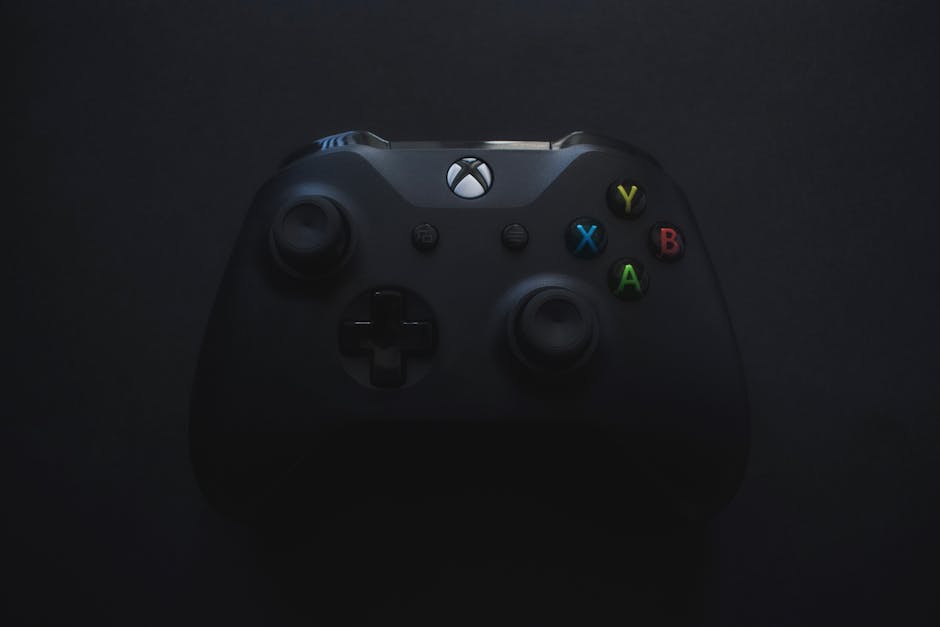
The new **Xbox Wireless Controller** introduces several refinements over the Xbox One controller. The d-pad features a hybrid design with raised edges for improved precision, while the triggers offer enhanced tactile feedback. The controller maintains the same button layout but includes a dedicated Share button for capturing screenshots and video clips.
**Quick Resume** stands as one of the most impressive features, allowing players to suspend multiple games simultaneously and switch between them instantly. This feature works with both current-generation and backward-compatible titles, eliminating loading screens when returning to suspended games. Players can maintain progress in up to five games at once.
The **Xbox Velocity Architecture** combines custom NVMe SSD storage with hardware decompression and DirectStorage API integration. This system reduces loading times dramatically, with some games loading in under 10 seconds. The architecture also enables developers to create larger, more detailed game worlds without traditional loading screens.
Gaming on Xbox Series X and Series S: Tips and Tricks
Optimizing your gaming experience starts with proper **display settings configuration**. Enable Variable Refresh Rate (VRR) if your TV or monitor supports it to eliminate screen tearing. For HDR gaming, calibrate your display using the Xbox’s built-in HDR calibration tool to ensure accurate color representation.
The new controller’s **haptic feedback** can be customized through the Xbox Accessories app. Adjust trigger sensitivity for racing games or reduce vibration intensity for extended gaming sessions. The Share button can be programmed to capture specific content types or upload directly to social media platforms.
**Quick Resume management** requires strategic thinking about which games to keep suspended. Prioritize single-player games or titles you play regularly, as multiplayer games typically require fresh connections anyway. Clear suspended games manually if you encounter any synchronization issues with online saves.
- Enable Auto-HDR for enhanced visual quality in older games
- Use Game Mode on your TV to reduce input lag
- Configure controller audio settings for headset optimization
- Set up custom button mapping for accessibility or preference
Common Issues and How to Resolve Them
**Controller connectivity problems** often stem from interference or low battery levels. Reset the controller by holding the Xbox button for six seconds, then re-pair it using the wireless pairing button on both the console and controller. Ensure the controller firmware stays updated through the Xbox Accessories app.
**Quick Resume glitches** occasionally occur with certain games, causing save data conflicts or connection errors. If a game fails to resume properly, fully quit the application and restart it normally. Some always-online games don’t support Quick Resume and should be closed manually to prevent issues.
**Storage management** becomes crucial as game file sizes continue growing. Use the Storage settings to move games between internal and external storage based on your current playing preferences. Series X/S enhanced games must run from internal storage or the official expansion card for optimal performance.
| Issue Type | Common Cause | Quick Solution |
|---|---|---|
| Controller lag | Low battery/interference | Charge and re-pair |
| Game won’t launch | Storage location | Move to internal drive |
| Quick Resume error | Online sync conflict | Force quit and restart |
Xbox Game Pass and Gaming Library
**Xbox Game Pass Ultimate** provides exceptional value with over 400 games available for download or cloud streaming. The service includes day-one access to all Microsoft first-party titles, making it essential for Xbox Series X/S owners. Games rotate in and out of the catalog regularly, so prioritize titles leaving soon.
The **gaming library optimization** involves organizing your collection based on storage requirements and play frequency. Keep frequently played games on internal storage while moving occasional titles to external drives. Use the My Games & Apps section to create custom groups for different game genres or completion status.
**Cloud gaming through Game Pass** enables playing console games on mobile devices, tablets, or PC through a web browser. This feature requires a stable internet connection with at least 10 Mbps download speed for smooth performance. Use cloud gaming to try new titles before downloading them locally.
- Download games overnight to maximize your gaming time
- Use the Xbox mobile app to manage downloads remotely
- Create wish lists for games not currently in Game Pass
- Enable auto-renewal carefully to avoid unexpected charges
Accessories and Hardware for Xbox Series X and Series S
**Essential accessories** enhance the Xbox gaming experience significantly. The Xbox Wireless Headset provides spatial audio and seamless device switching between Xbox and mobile. For extended storage, the Seagate Storage Expansion Card offers the same performance as internal storage for Series X/S enhanced games.
The **Xbox Elite Wireless Controller Series 2** caters to competitive gamers with adjustable trigger stops, interchangeable components, and hair triggers. Its 40-hour battery life and case with built-in charging dock justify the premium price for serious players. Paddle customization allows complex control schemes without taking thumbs off analog sticks.
**Display upgrades** unlock the consoles’ full potential. Look for TVs or monitors supporting HDMI 2.1, 120Hz refresh rates, and Variable Refresh Rate. The Xbox Series X can output true 4K at 120fps in supported games, while the Series S targets 1440p at similar frame rates.
Popular Xbox Series X/S Accessories
- Official Xbox Wireless Headset for spatial audio
- Seagate 1TB Storage Expansion Card for additional space
- Xbox Elite Controller Series 2 for competitive gaming
- Xbox Design Lab custom controllers for personalization
Xbox Series X and Series S: Community and Online Features
The **Xbox Live community** spans across console generations and PC, creating a unified gaming ecosystem. The Activity Feed keeps you updated on friends’ achievements and gaming activity, while Looking for Group helps find teammates for specific games or challenges. Cross-platform play extends your potential player base significantly.
**Multiplayer gaming improvements** include faster matchmaking and reduced latency through dedicated servers. The new consoles maintain backward compatibility with Xbox Live Gold benefits, including free monthly games and exclusive discounts. Xbox Game Pass Ultimate includes Live Gold membership automatically.
**Social features** integrate deeply with the Xbox experience through the Xbox mobile app. Share screenshots and clips instantly to social media, join party chat from your phone, and remotely start game downloads. The app also enables message management and friend list organization while away from your console.
- Join Xbox communities based on your favorite games
- Use voice chat through the Xbox mobile app
- Enable notifications for when friends come online
- Share achievements and clips across social platforms
Xbox Series X and Series S: Entertainment and Media Apps
Beyond gaming, both consoles serve as comprehensive **entertainment hubs**. Netflix, Disney+, Amazon Prime Video, and YouTube apps take advantage of the enhanced hardware for 4K HDR streaming. The consoles support Dolby Vision and Dolby Atmos for premium audiovisual experiences when paired with compatible displays and sound systems.
**Streaming optimization** involves configuring your network settings for consistent performance. Use a wired Ethernet connection when possible to avoid wireless interference during peak usage hours. The consoles automatically adjust streaming quality based on available bandwidth, but manual quality settings provide more control.
**Music and podcast apps** like Spotify, Pandora, and Apple Music integrate with gaming through background audio features. Listen to your favorite playlists while playing games that support custom soundtracks. The Xbox mobile app enables music control without interrupting your gameplay.
Media apps benefit from the consoles’ fast resume capabilities, allowing instant switching between entertainment and gaming. The Series X’s disc drive also supports 4K Blu-ray playback for physical media collections.
Frequently Asked Questions
Q: Is the Xbox Series S suitable for casual gamers or is it only for hardcore gamers?
A: The Xbox Series S is actually perfect for casual gamers. Its lower price point, digital-only design, and 1440p target resolution make it ideal for players who don’t need 4K gaming or physical disc support. The performance improvements over Xbox One are substantial regardless of gaming frequency.
Q: How can I transfer my saves and game data from my previous Xbox console to the Xbox Series X or Series S?
A: Game saves automatically sync through Xbox Live Cloud storage when signed into the same Xbox account. Simply install your games on the new console and your saves will download automatically. For games without cloud saves, use the network transfer feature to move data directly between consoles on the same network.
Q: What are the differences in performance between the Xbox Series X and the Xbox One X?
A: The Xbox Series X offers significantly faster loading times, better frame rates, and improved visual quality over the Xbox One X. The new SSD storage, enhanced CPU, and RDNA 2 graphics provide generational improvements in game performance, while features like Quick Resume and Auto HDR weren’t available on Xbox One X.
Top Product Recommendations
| Product Name | Rating | Key Feature | Est. Price | Action |
|---|---|---|---|---|
| Top-rated Xbox Wireless Controller | ★★★★★ | Editor-recommended Xbox Wireless Controller from this guide | $18–$42 | Check Lowest Price on Amazon |
| Best-value Seagate Xbox Storage Expansion Card | ★★★★☆ | Affordable Seagate Xbox Storage Expansion Card — strong everyday results | $12–$28 | Check Lowest Price on Amazon |
| Premium Xbox Elite Controller Series 2 | ★★★★☆ | Higher-end Xbox Elite Controller Series 2 for visible, lasting results | $45–$95 | Check Lowest Price on Amazon |
Affiliate Disclosure: This post contains affiliate links. We may earn a commission if you buy through our links, at no extra cost to you.
Leave a Reply