Overview of Free Online Games
Free online gaming has transformed from a niche hobby into one of the most accessible entertainment mediums in the world. In the early 2000s, browser-based games like Flash-based puzzles and simple racers dominated living rooms and office breaks alike. Today, platforms like Poki and CrazyGames have taken those humble beginnings and expanded them into massive libraries featuring thousands of titles that run directly in your browser without any downloads or installations. The shift toward HTML5 technology has made these games smoother, more visually impressive, and compatible across virtually every modern device.
The popularity of free online games continues to surge, driven by their zero barrier to entry and the sheer variety available. Players no longer need expensive consoles or high-end gaming PCs to enjoy quality gameplay experiences. A stable internet connection and a web browser are all that stand between you and hours of entertainment. This accessibility has democratized gaming for audiences of all ages and backgrounds, making free online gameplay a global phenomenon that shows no signs of slowing down.
Types of Games Available
Action and Adventure Games
Action and adventure games form the backbone of free online gaming libraries. These titles typically feature dynamic combat systems, exploration-heavy environments, and narrative arcs that keep players invested across multiple sessions. Platformers, shooters, and survival adventures all fall under this umbrella, offering everything from quick five-minute missions to multi-hour campaigns. Popular examples include survival crafting games where you build bases and defend against enemies, as well as side-scrolling beat-em-ups that test your reflexes and timing.
Puzzle and Strategy Games
Puzzle games challenge your brain with logic problems, pattern recognition, and spatial reasoning challenges. Strategy titles add layers of resource management and long-term planning, asking players to think several moves ahead. These games range from simple match-three puzzles that are perfect for casual sessions to deep tower defense setups that require significant tactical consideration. Many puzzle games on free platforms incorporate physics mechanics, where you manipulate gravity, momentum, and object interactions to reach specific goals.
Sports and Racing Games
Sports games let you step into the cleats of your favorite athletes across football, basketball, soccer, and baseball simulations. Racing games take you from street circuits to off-road tracks, with options spanning arcade-style kart racers to realistic simulation driving experiences. These titles often include career modes where you build up your athlete or driver from rookie status, unlocking new equipment and venues as you progress. Multiplayer leagues and leaderboards add competitive elements that keep players coming back to improve their times and scores.
| Category | Typical Session Length | Skill Curve | Multiplayer Support |
|---|---|---|---|
| Action/Adventure | 15–60 minutes | Moderate | Yes, often online |
| Puzzle/Strategy | 5–30 minutes | Easy to steep | Sometimes local only |
| Sports/Racing | 10–45 minutes | Moderate | Yes, ranked modes |
Gameplay Mechanics
Controls and Interfaces
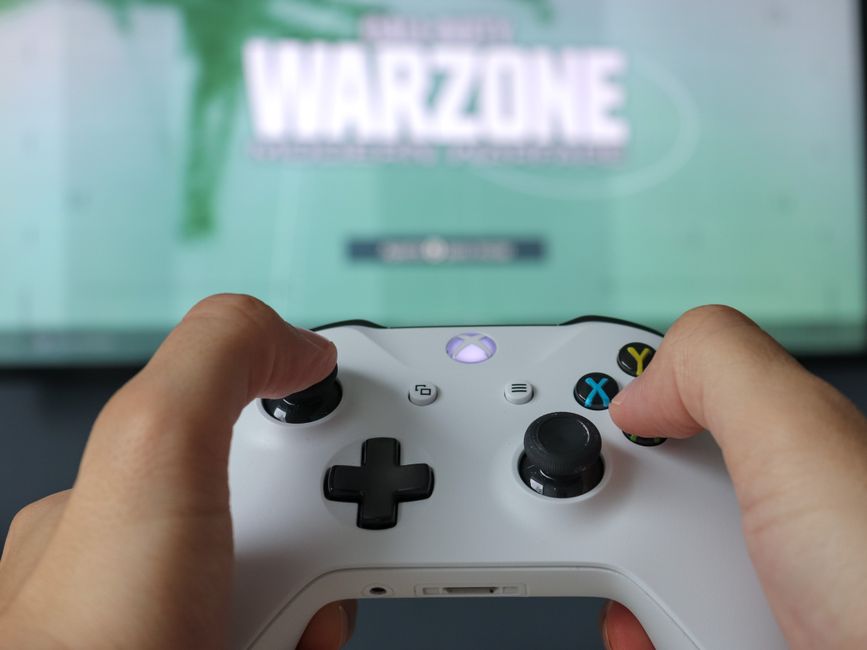
Understanding controls is fundamental to enjoying any online game. Most browser-based titles support mouse-and-keyboard setups on desktop, with trackpad and touchscreen gestures serving as alternatives on laptops and tablets. Some games offer full keyboard control schemes with customizable bindings, while others rely heavily on point-and-click navigation. Controller support has also expanded on many platforms, allowing players to connect gamepads for a more console-like experience. The interface design of a game directly impacts how intuitive these controls feel, so look for games with clear visual feedback and responsive input registration.
Game Physics and Mechanics
Physics engines drive everything from jumping arcs to projectile trajectories in modern online games. Realistic gravity, momentum, and collision detection create gameplay that feels tactile and believable. Understanding the underlying mechanics of a game often separates casual players from those who consistently perform well. Many games include tutorial modes or practice areas where you can experiment with physics systems without pressure, giving you a safe space to learn how objects interact in that specific game’s world.
Difficulty Levels and Customization Options
Free online games typically offer adjustable difficulty settings to accommodate a wide range of skill levels. Easy modes let newcomers enjoy the experience without frustration, while harder difficulties provide genuine challenges for seasoned players seeking mastery. Beyond preset difficulty levels, many games include customization sliders for specific parameters like enemy aggression, resource availability, or puzzle complexity. This flexibility ensures that players can tailor their experience to match exactly what they’re looking for on any given day.
Tips for Playing Free Online Games
Choosing the Right Game for Your Skill Level
Selecting a game that matches your current abilities prevents unnecessary frustration and helps you actually enjoy your time gaming. If you’re new to a particular genre, start with titles labeled as beginner-friendly or those that include comprehensive tutorials. Paying attention to user ratings and difficulty indicators in game descriptions can save you from downloading something that will overwhelm you immediately. Remember that progressing from easier games to more challenging ones creates a satisfying skill development arc that keeps gaming rewarding over time.
Time Management for Gaming Sessions
Setting time limits for your gaming sessions prevents burnout and ensures you maintain a healthy balance with other responsibilities. Many gamers find success using techniques like the Pomodoro method, where you play for focused 25-minute intervals followed by short breaks. Built-in session timers and reminder features in some platforms can help you track how long you’ve been playing. Establishing a pre-gaming routine, like completing other tasks first, creates a clear mental boundary that makes gaming feel like a reward rather than a default activity.
Strategies for Mastering Game Mechanics
True mastery comes from understanding the why behind successful strategies, not just copying what others do. Study the feedback systems in your games — watch what happens when you make specific choices and identify cause-and-effect relationships. Practice deliberately by focusing on one aspect of gameplay at a time rather than trying to improve everything simultaneously. Watching speedrun videos and developer streams exposes you to techniques and shortcuts you might never discover on your own, accelerating your learning curve significantly.
Common Issues and Troubleshooting
Technical Problems and Solutions
Lag, stuttering, and unexpected crashes are the most frequent technical complaints in browser-based gaming. Start troubleshooting by checking your internet connection speed and stability, as packet loss and high ping directly degrade gameplay responsiveness. Clear your browser cache and close unnecessary background tabs and applications to free up system resources. Updating your graphics drivers and ensuring your operating system is current often resolves compatibility issues that cause crashes or visual glitches during gameplay.
Browser Compatibility and Optimization
Not all browsers handle web-based games equally well. Google Chrome and Mozilla Firefox tend to offer the broadest support for HTML5 game content, while older browsers like Internet Explorer are increasingly incompatible with modern titles. Enable hardware acceleration in your browser settings to let your graphics card handle rendering instead of relying solely on your CPU. Disabling browser extensions, especially ad blockers and script managers, can resolve conflicts that cause games to fail to load or display incorrectly.
Dealing with Bugs and Glitches in Gameplay
When you encounter bugs, first try refreshing the page and restarting the game, as many issues are session-specific and clear on reload. Saving your progress frequently in games that feature manual save systems protects you from losing significant work when bugs cause data corruption. Reporting persistent bugs through platform feedback systems helps developers identify and fix issues that affect multiple players. Community forums and Reddit threads often contain workarounds or patches that the official team hasn’t publicly announced yet.
Hardware and Platform Considerations
PC and Mac Compatibility
Desktop and laptop computers offer the most robust experience for free online gameplay, with full keyboard controls and the ability to run games at high graphical settings. Windows remains the dominant platform, but Mac users find that most modern browser-based games perform comparably well. Ensuring you have adequate RAM — ideally 8GB or more — and a dedicated graphics processor makes a noticeable difference in frame rates and visual fidelity. Cooling is another practical consideration, as extended gaming sessions can push laptop components to thermal limits that cause throttling.
Mobile Devices and Touch Controls
Smartphones and tablets have opened free online gaming to audiences who prefer playing on the go. Touch controls require different mental models than traditional inputs, with virtual joysticks, tap-to-shoot mechanisms, and swipe-based navigation becoming standard interfaces. Screen size limits visual detail but the convenience of anywhere gaming outweighs this trade-off for many players. Battery life becomes a practical concern during longer sessions, so keeping a charger or portable battery pack nearby ensures you don’t lose progress when your device powers down.
VR and Immersive Gaming Experiences
Virtual reality has crept into the free online gaming space, with browser-based VR titles offering introductory experiences without requiring expensive hardware setups. Standalone VR headsets and PC-tethered systems both support web-based gaming to varying degrees, though the library remains smaller than traditional formats. Even without a full VR headset, many games incorporate immersive elements like 360-degree environments that work with standard displays. As VR technology becomes more affordable and widespread, expect web-based platforms to expand their immersive offerings significantly.
Benefits of Playing Free Online Games
Improving Cognitive Skills and Hand-Eye Coordination
Research consistently shows that regular gameplay sharpens cognitive abilities including reaction time, spatial reasoning, and working memory. Action games in particular train rapid decision-making and the ability to track multiple moving objects simultaneously. Puzzle and strategy games develop planning skills, pattern recognition, and the capacity to hold complex information in mental buffers. These benefits extend beyond entertainment, with some studies suggesting that gaming can support academic and professional performance in related domains.
Relaxation and Stress Relief Through Gaming
Gaming provides a structured escape from daily stressors, offering focused tasks that temporarily displace anxious thoughts. The sense of accomplishment from completing levels, achieving high scores, or progressing through storylines triggers reward circuitry in the brain similar to other leisure activities. Casual puzzle games and exploration titles work particularly well for wind-down sessions because they demand enough attention to crowd out worries without creating competitive pressure. The key is choosing genres and difficulty levels that genuinely relax rather than frustrate you.
Social Interaction in Multiplayer Games
Multiplayer online games create communities where players collaborate, compete, and form lasting friendships across geographic boundaries. Guild systems, chat functions, and cooperative missions give players regular touchpoints that foster genuine social connection. Many players report that their online gaming groups provide essential social support networks, especially those who face geographic or social barriers to in-person interaction. Competitive ranked modes add another social layer, giving players clear goals to pursue alongside teammates and providing frameworks for improvement and recognition.
Future of Free Online Gaming
Upcoming Trends and Innovations
Cloud gaming technology is beginning to merge with browser-based platforms, potentially eliminating hardware limitations entirely by streaming games from remote servers. AI-generated content and procedurally generated levels promise infinite replayability without requiring proportional development time. Cross-platform play is becoming standard rather than exceptional, allowing friends to play together regardless of their chosen device. Community-driven development models, where players vote on features and contribute ideas, are reshaping how games evolve after initial release.
New Game Releases and Updates
Major platforms like Poki and CrazyGames add dozens of new titles weekly, ranging from indie experiments to polished sequels of established franchises. Developers increasingly release games in early access formats, gathering player feedback to refine mechanics before full launch. Seasonal events and limited-time content keep existing popular games feeling fresh and give returning players new reasons to engage. Mobile-first design philosophies are influencing browser game aesthetics, with simplified interfaces and touch-friendly layouts becoming increasingly common.
Potential Changes in Gaming Platforms and Hardware
Web browser capabilities continue expanding, with WebGL and WebGPU standards enabling console-quality graphics without plugins or downloads. Subscription models are emerging on some free gaming platforms, offering ad-free experiences and early access to new releases for monthly fees. Social media integration is deepening, making it easier to share gameplay clips, challenge friends, and discover new titles through recommendations from your network. Privacy and data practices are receiving more scrutiny, prompting platforms to implement clearer policies around information collection and sharing.
Frequently Asked Questions (FAQ)
What are some popular free online games on Poki and CrazyGames?
Both platforms host thousands of titles across every major genre. On Poki, you’ll find consistently popular picks like **Happy Wheels**, **Super Mario Bros**, and **Shell Shockers**, which have built devoted player communities over years of availability. CrazyGames features strong libraries of multiplayer shooters, simulation games, and io titles where you compete against other players in real time. Both platforms curate featured sections highlighting trending games, so checking their homepages regularly surfaces new releases that align with your interests.
How can I optimize my browser for playing free online games?
Start by enabling **hardware acceleration** in your browser settings, which allows your graphics card to handle rendering tasks instead of overloading your processor. Clear cookies and cache monthly to prevent accumulated data from slowing page loads. Disable unnecessary extensions, particularly script blockers or aggressive ad blockers that might interfere with game code. Keeping your browser updated ensures you have the latest performance improvements and security patches. Allocating more RAM to your browser through system settings can further smooth out demanding titles.
Are there any benefits to playing free online games?
Regular gameplay offers measurable cognitive benefits including improved reaction speed, enhanced working memory, and better spatial reasoning skills according to multiple peer-reviewed studies. Socially, multiplayer games provide opportunities for collaboration, competition, and community building that combat loneliness and develop teamwork abilities. Emotionally, gaming sessions function as effective stress relief by providing immersive distraction from daily concerns. The key to maximizing benefits is maintaining balanced session lengths and choosing games that genuinely engage rather than frustrate you.
Explore more gameplay guides on our site.
Top Product Recommendations
| Product Name | Rating | Key Feature | Est. Price | Action |
|---|---|---|---|---|
| Top-rated gaming headset with microphone | ★★★★★ | Editor-recommended gaming headset with microphone from this guide | $18–$42 | Check Lowest Price on Amazon |
| Best-value wireless gaming mouse | ★★★★☆ | Affordable wireless gaming mouse — strong everyday results | $12–$28 | Check Lowest Price on Amazon |
| Premium portable laptop stand | ★★★★☆ | Higher-end portable laptop stand for visible, lasting results | $45–$95 | Check Lowest Price on Amazon |
Affiliate Disclosure: This post contains affiliate links. We may earn a commission if you buy through our links, at no extra cost to you.
Leave a Reply